

Invitation Links & Short URLs
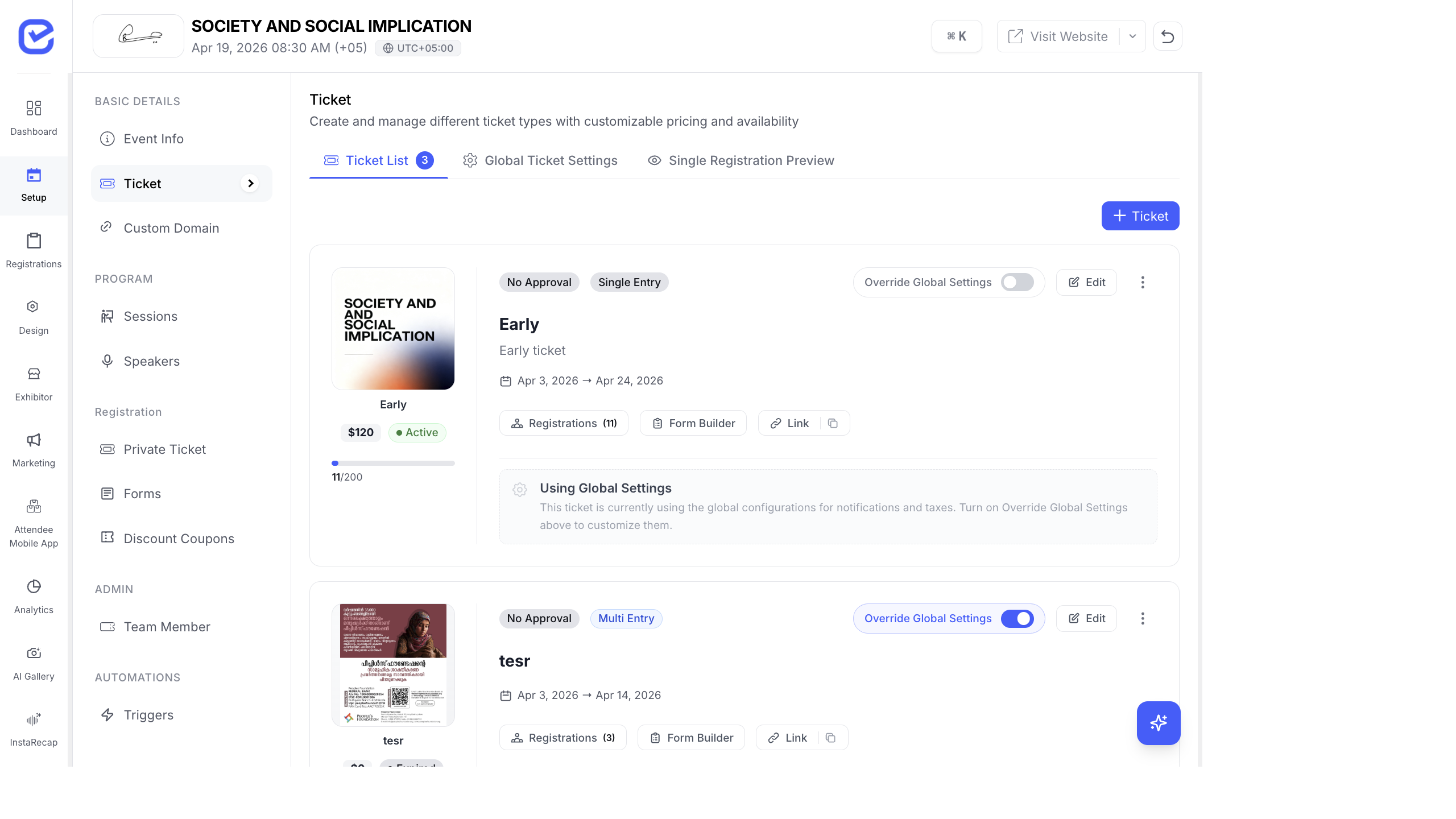
Every ticket type and exhibitor package gets an automatic registration URL. Use these links in emails, social media, and print materials to drive registrations.
Registration URLs
Section titled “Registration URLs”Ticket Registration Links
Section titled “Ticket Registration Links”Each ticket type has its own registration URL:
https://your-event.eventhex.ai/register/vip-passhttps://your-event.eventhex.ai/register/early-birdhttps://your-event.eventhex.ai/register/free-entryThe URL slug comes from the ticket name (auto-generated or customized).
Exhibitor Registration Links
Section titled “Exhibitor Registration Links”Each exhibitor package also gets a unique URL:
https://your-event.eventhex.ai/register/platinum-sponsorhttps://your-event.eventhex.ai/register/gold-exhibitorCopy & Share URLs
Section titled “Copy & Share URLs”- Go to Tickets → Ticket Settings (or Exhibitor → Exhibitor Packages).
- Find the ticket or package.
- Click the Copy URL icon next to it.
- Paste the URL in your email, social media post, or website.
The share banner at the top of the ticket or package page also provides quick copy and share options.
Where to Use Registration Links
Section titled “Where to Use Registration Links”| Channel | How to Use |
|---|---|
| Email Campaigns | Include the registration URL as a CTA button in your campaign |
| Social Media | Share the link in posts and bio |
| Event Website | Link “Register Now” buttons to the ticket URL |
| Include the link in WhatsApp campaign messages | |
| Print Materials | Generate a QR code from the URL for posters and banners |
| Partner Websites | Share the link with media partners and sponsors for cross-promotion |
Tracking Campaign Performance
Section titled “Tracking Campaign Performance”When you use registration URLs in marketing campaigns, you can track:
- Total registrations per ticket type — see which links are converting
- Campaign-specific delivery — notification logs show sent, delivered, opened, clicked counts
- Referral sources — if attendees register through different channels, you can compare conversion rates
Multi-Event Registration Strategy
Section titled “Multi-Event Registration Strategy”If you run multiple events, create a campaign targeting previous event attendees:
- Create a saved audience from your previous event’s registrants.
- Create an email campaign with the new event’s registration URL.
- Track how many previous attendees register for the new event.
This lets you measure attendee retention across events.
Best Practices
Section titled “Best Practices”- Use descriptive slugs —
/register/vip-passis clearer than/register/ticket-1. Customize your ticket slug if the auto-generated one is unclear. - One link per CTA — don’t overwhelm your audience with multiple registration links. Lead with your primary ticket and let them choose options on the registration page.
- Track everything — use UTM parameters on every link you share externally. You’ll know exactly which LinkedIn post, email campaign, or partner website drives the most registrations.
- Update expired links — when a ticket’s sale period ends, the registration URL shows a “Registration Closed” message. Make sure your marketing materials don’t still promote expired links.
- QR codes for offline — generate QR codes from your registration URLs for print materials, booth banners, and presentation slides. Attendees can scan and register instantly.
How Invitation Links Work for Attendees
Section titled “How Invitation Links Work for Attendees”When an attendee receives an invitation link (/invite/[token]):
- They click the link and see a pre-scoped registration page for the specific ticket they were invited to
- The ticket is automatically selected — they don’t need to find it in the ticket list
- They complete the registration form and checkout as normal
- If approval is enabled, their registration is submitted for review
Short URLs (/s/[token]) redirect to the full registration URL with tracking parameters preserved.
See Campaign Landing Pages for details on campaign-specific landing pages and tracking.