

InstaRecap Overview — AI Session Summaries
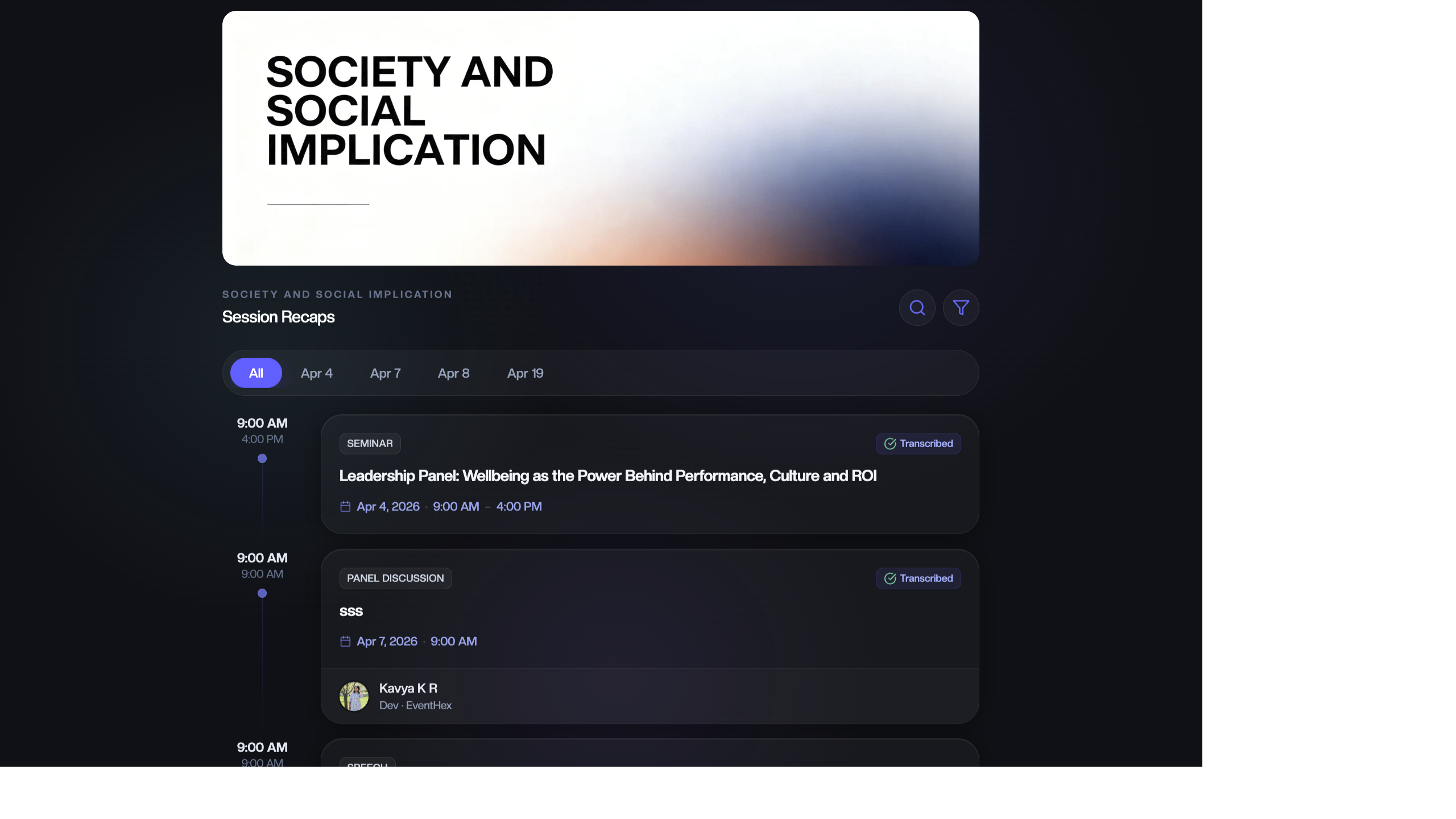
InstaRecap uses AI to transform session recordings into transcripts, summaries, key takeaways, and social-ready posts — delivered to attendees in their preferred language.
What InstaRecap Does
Section titled “What InstaRecap Does”- Record — upload session audio or use live transcription during the session.
- Transcribe — AI converts speech to text with speaker detection.
- Summarize — AI generates key takeaways, summaries, and social media posts.
- Translate — attendees read transcripts in their preferred language (100+ languages supported).
- Share — attendees access session recaps from the event website or mobile app.
Dashboard Overview
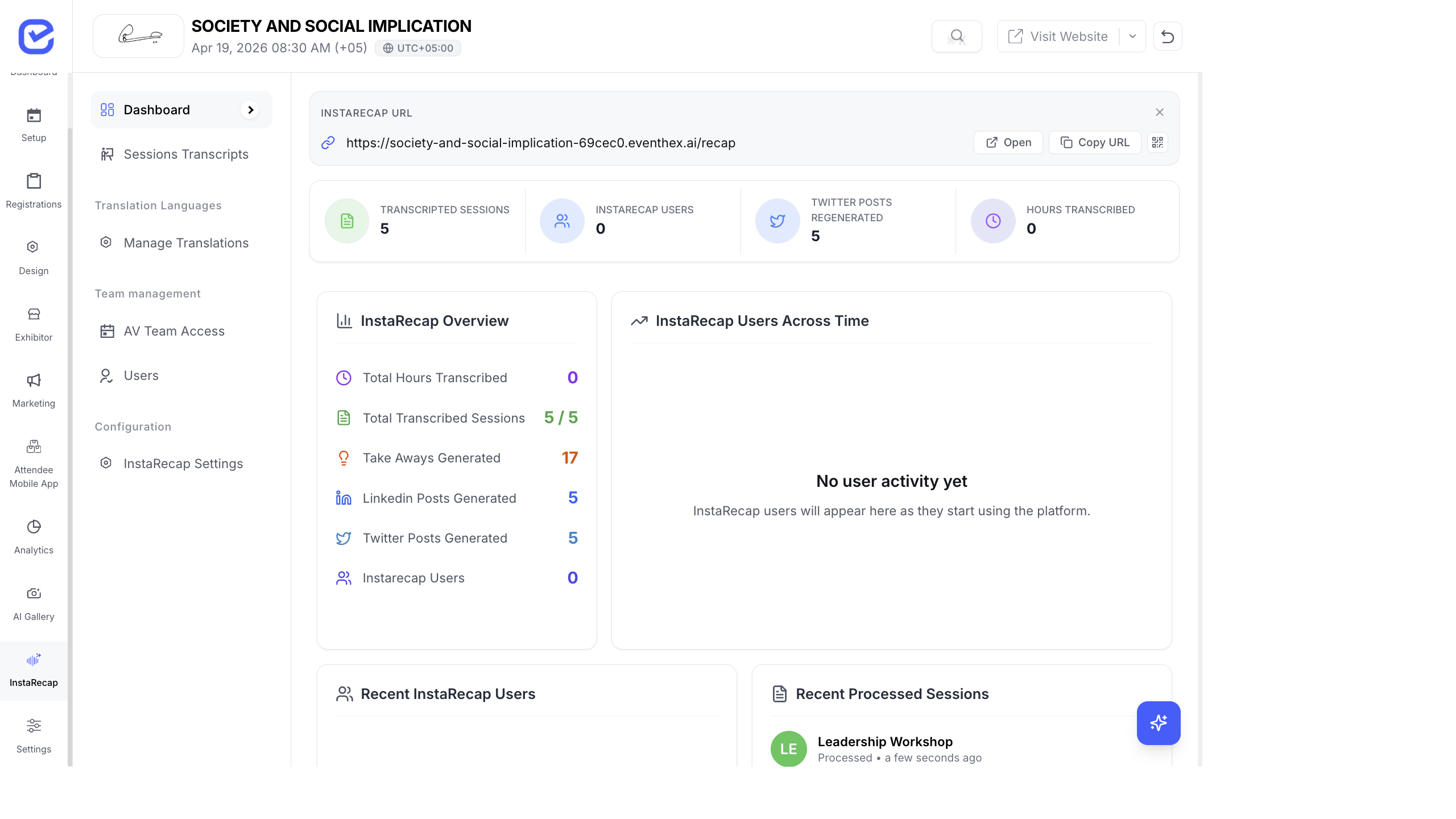
Section titled “Dashboard Overview”Go to InstaRecap → Dashboard to see real-time metrics.
KPI Cards
Section titled “KPI Cards”| Metric | What It Shows |
|---|---|
| Transcribed Sessions | Number of sessions with completed transcripts |
| InstaRecap Users | Attendees who accessed session recaps |
| Twitter Posts Generated | AI-generated social posts from session content |
| Hours Transcribed | Total audio hours processed |
Dashboard Charts
Section titled “Dashboard Charts”| Section | What It Shows |
|---|---|
| InstaRecap Overview | Summary stats with total hours, sessions, takeaways, LinkedIn posts, Twitter posts |
| Users Across Time | Line chart showing InstaRecap user growth over time |
| Content Breakdown | Pie chart showing distribution: users, transcribed sessions, key takeaways, hours |
| Recent Sessions | Recently updated sessions with transcription status |
| Recent Users | Latest attendees who accessed recaps, with login timestamps |
CMS Navigation
Section titled “CMS Navigation”Once InstaRecap is enabled in your event’s core modules, the sidebar shows:
- Dashboard — KPIs and analytics
- Sessions & Transcripts — upload audio, view transcripts, trigger live transcription
- Manage Translations — configure translation languages
- AV Team Access — generate access codes for AV operators
- Users — see who’s accessed InstaRecap
- Settings — login, authentication, and translation configuration
Getting Started
Section titled “Getting Started”To set up InstaRecap for your event:
- Record & Upload — upload session audio files or record live
- Manage Transcripts — view, edit, and export transcripts with translations
- Set Up AV Team — give AV operators access to upload recordings per session
- Track Analytics — monitor engagement and content performance
How Attendees Use InstaRecap
Section titled “How Attendees Use InstaRecap”After you process session recordings:
- Attendees visit the InstaRecap section on the event website or mobile app.
- They browse sessions and select one to read.
- They see the full transcript, key takeaways, and AI-generated summaries.
- They can switch languages to read the transcript in their preferred language.
- They can share highlights on LinkedIn or X (Twitter) using the AI-generated social posts.
For the complete attendee experience — login, session browsing, summary reading, language switching, poster generation, and live subtitles — see InstaRecap — The Attendee Experience.